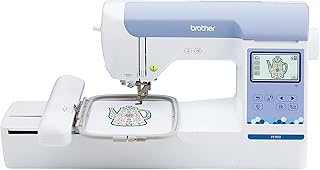
Janome MC1000 Review: Small Embroidery, Useful Sewing Control
At a Glance
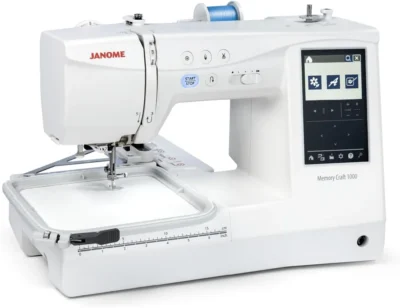
KEY FEATURES
- Sewing and embroidery in one machine
- 140 × 140 mm maximum embroidery field
- 300 sewing stitches and 241 embroidery designs
- Magnetic needle-plate change and automatic thread cutter
- USB design transfer and on-screen editing
PROS
- Owners report useful control for garment repairs and home sewing.
- Small embroidery projects are supported by model-matched owner accounts.
- Hand controls and thread cutting can simplify repeated sewing tasks.
- Built-in accessory storage keeps frequently used tools close.
CONS
- The 140 × 140 mm embroidery field rules out larger single-hoop designs.
- Switching modes and learning the threading controls takes preparation.
- One detailed owner reports bobbin-winding and alert frustrations.
Editorial Rating
Based on supplied customer reviews and verified product documentation
Price and availability subject to change
The Janome Memory Craft 1000 makes most sense when you want to sew clothes and add small embroidery designs without keeping two machines. The important boundary is its 5.5-inch-square embroidery field: owners describe useful sewing control and successful embroidery, but also time spent learning the menus, threading and switching modes. Decide whether your designs fit before letting the large stitch library decide for you.
Start with the design you want to stitch
Small personal projects
Names, compact motifs and garment details are the natural starting point. One new embroiderer describes using the machine for the name-and-title markings needed on scrubs; another worked through custom designs while learning embroidery software.
Designs that need more room
The maximum is 140 × 140 mm, not 5 × 7 inches. Two owners specifically discuss wanting more embroidery space. A larger design is a reason to compare machines before buying, rather than assume another hoop will enlarge the MC1000’s stitch field.
Janome lists 241 built-in embroidery designs, but that total does not tell you whether your chosen logo or lettering fits. Use the finished dimensions of the design you actually intend to make. The manufacturer’s MC1000 overview identifies the included SQ14e hoop and the maximum field.
What owners have actually sewn
The more useful accounts go beyond calling the machine versatile. They describe different halves of its job, and those experiences should stay separate.
Ordinary sewing still matters
One beginner repaired a child’s sweatshirt with straight and zigzag stitches after using a video to understand the controls. Another owner found the slower sewing control useful around cushion-cover piping. A third describes early success with thin knits, while explicitly saying embroidery was still untried.
Embroidery has its own learning curve
A beginner reports completed custom designs after learning both the machine and separate design software. An embroidery-focused owner likes the stitched result but has not yet used ordinary sewing mode. These are useful starting experiences, not evidence of every feature working equally well for every owner.
A month-long account covers embroidery, apparel and quilting work, with praise for the thread cutter and access to accessories. That broader use supports the combination-machine appeal. It does not establish long-term durability or the capacity of an industrial machine, even when another owner compares the MC1000 favorably with equipment they already own.

One machine still means two setups
The MC1000 saves you from buying separate sewing and embroidery machines, but it does not remove the setup between those tasks. Owners mention changing components and getting used to the transition. That interruption matters more if you alternate every few minutes than if you finish a sewing session before starting embroidery.
- Allow room behind it. The embroidery arm attaches at the rear. One owner specifically warns that their previous machine arranged its embroidery space differently. Leave the carriage room to operate rather than treating the storage footprint as the working footprint.
- Expect to learn the screen. An owner finds it small; others appreciate the range of adjustments once familiar with it. The touchscreen is a control interface to learn, not a substitute for choosing the correct setup.
- Separate editing from creating artwork. Janome documents on-screen resizing, rotating and combining designs. An owner’s experience with Inkscape and Inkstitch concerns separate software work; it does not mean the machine automatically turns a drawing into an embroidery file.
The manual helps, but the bobbin routine deserves attention
There is no single beginner experience in this sample. One owner finds the manual helpful, while another reports confusing diagrams and numbering and relies heavily on a tutorial video. A third describes a frustrating needle-threader learning curve despite otherwise enjoying the machine.
What the detailed bobbin complaint does—and does not—show
One owner reports thread slipping from the winding path and frustration with the bobbin alert, which they felt interrupted use before enough thread had been consumed. That is a specific workflow reservation from one account, not a measured defect rate. Their improvised handling should not replace the manufacturer’s winding instructions.
The same owner praises the results and continues to use the machine for several kinds of work. Keep both parts of that experience: a useful machine can still have a preparation routine its owner dislikes.
The MC1000’s model-specific brochure specifies manual tension adjustment. It should not be bought on the assumption that every fabric change is handled automatically. Likewise, an owner’s successful tension setting for one project is not a universal setting for yours.
Compare embroidery space before comparing stitch totals
The MC1000’s 300 sewing stitches and 241 embroidery designs serve different jobs. Neither count removes its embroidery-size limit. If your designs need a larger field, the original Memory Craft 9850 review is a relevant next comparison, with its own bobbin-care tradeoffs and edition distinctions. Do not treat it as the same machine with a different design total.
If ordinary sewing is nearly all you do, the combination features may be unnecessary. The strongest case for the MC1000 is a genuine need for both modes, with embroidery projects that fit its field and enough interest to learn the changeover and thread preparation.
Pros & Cons Analysis
Based on supplied customer reviews and verified product documentation
Pros
- Useful sewing control beyond decorative features. Sweatshirt repair, thin-knit work and cushion-cover piping appear in separate accounts. The owner working around piping particularly values slowing down for precision; that is a more relevant reason to consider it for garment/home projects than the stitch total alone.
- A credible route into small embroidery. New embroiderers describe completed designs and small garment markings after learning the setup. This supports the intended small-project use, while keeping software learning and larger commercial ambitions separate from established results.
- Conveniences that owners notice during work. Hand-operated start/stop control helped one beginner, and another values the cutter during piecing. These accounts support a less interrupted sewing workflow without implying that the machine selects every setting for the user.
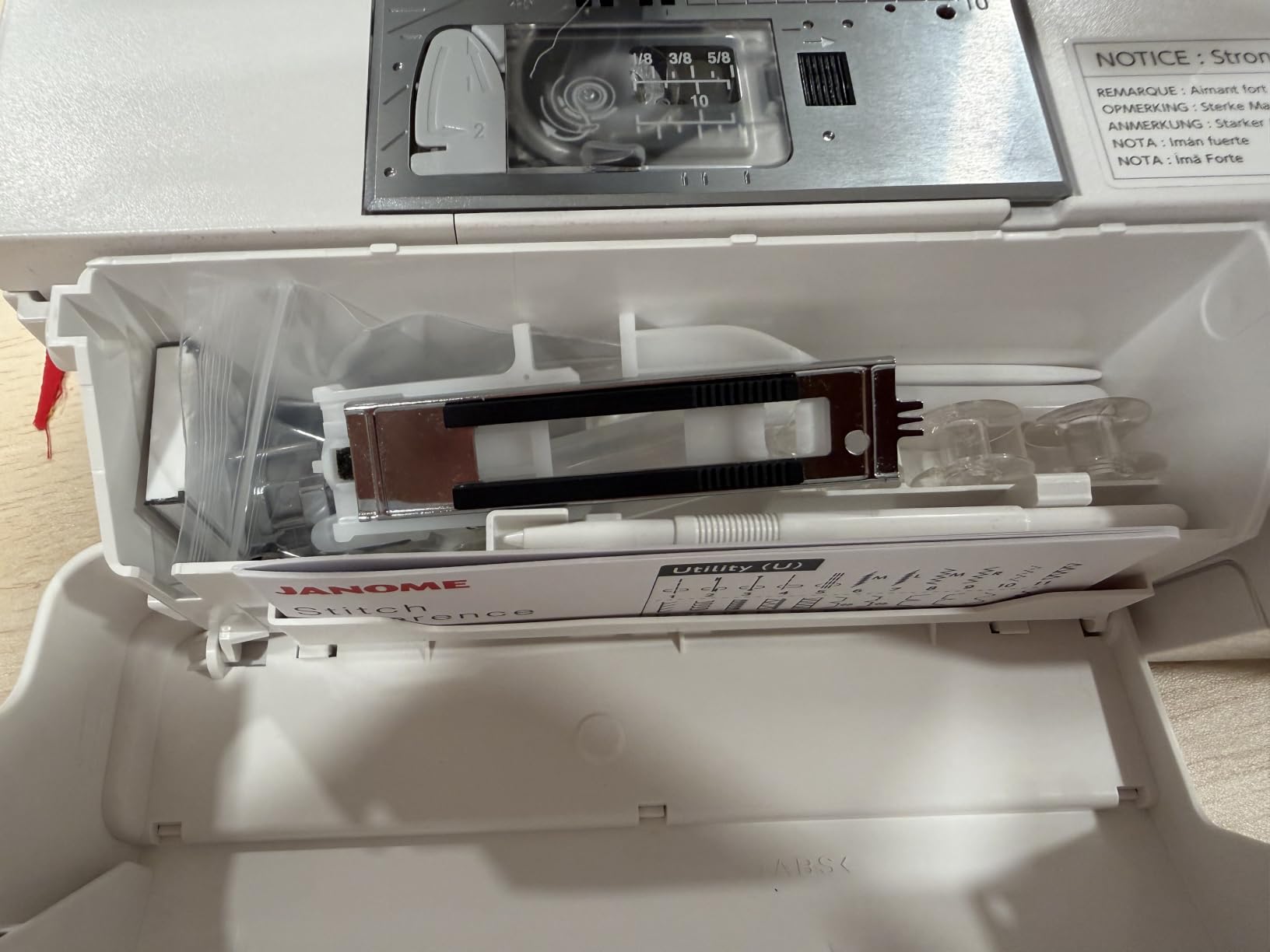
- Accessories are easy to keep with the machine. An owner specifically likes how the front compartment accommodates tools and much of the supplied accessory set. That helps a shared home workspace, though the rear embroidery carriage still needs operating clearance.
Cons
- The embroidery field is a real purchase limit. Owners who want more room mention the small field and a wish for 5 × 7 capability. Janome specifies 140 × 140 mm maximum; choose around finished design dimensions rather than count on an optional hoop to expand that limit.
- Convenient combination does not mean instant changeover. Owners describe learning menus, switching setups and allowing space for the rear arm. For someone constantly alternating sewing and embroidery, those interruptions deserve more weight than they do for someone working in separate sessions.
- Thread preparation is not effortless for everyone. One account reports bobbin-winding and alert frustrations; another has trouble following the manual diagrams. Other owners find setup easier, so the evidence supports a learning/workflow reservation rather than a universal fault diagnosis.
Our Verdict
Choose it for a mixed sewing room with small embroidery projects
The MC1000 has a convincing role when garment sewing and personal embroidery are both regular interests. Owner accounts support useful sewing control and successful small designs, with enough detail to show that the appeal extends beyond the built-in pattern library.
- A good fit: you want to repair or make ordinary fabric items, then add names or motifs that fit within 140 × 140 mm.
- Look elsewhere: your planned designs already need a larger field, or you want to move between sewing and embroidery with very little setup.
Expect to learn the thread path, screen and mode changes. The owner who praises the results while disliking the bobbin routine captures the tradeoff well: capable results do not make every preparation step effortless.
How we reached the editorial rating
Editorial judgment, not a hands-on test or an Amazon customer average. Stitch Quality & Control 4.2 reflects specific sewing and embroidery outcomes, without a durability claim. Ease of Setup & Use 3.7 reflects mixed manual/threading experiences and mode changes. Fabric & Project Fit 4.0 reflects useful household sewing and small embroidery, constrained by the field. Build, Accessories & Value 4.0 reflects useful storage and supplied tools, not a current-price comparison or proven lifespan. The overall 4.0 is the rounded mean. Thirteen of the 15 retrieved owner records are Vine reviews; the sample is not a representative failure-rate study.
Frequently Asked Questions
Can the MC1000 embroider a 5 × 7-inch design in one hooping?
No. Janome specifies a maximum embroidery area of 140 × 140 mm, approximately 5.5 × 5.5 inches. An optional hoop does not increase that maximum field.
Is this the same machine as the MC100E or MC9850 LE?
No. The MC1000 combines sewing and embroidery. The MC100E is an embroidery-only model, and the MC9850 LE is a different combination machine. Amazon may group their customer reviews together.
Does the MC1000 automatically digitize artwork?
Its on-screen tools edit and combine embroidery patterns. Creating an embroidery file from original artwork is a separate software task; an owner’s use of Inkscape and Inkstitch does not make those applications built-in machine features.
Is the embroidery setup entirely within the machine’s storage footprint?
No. The rear-mounted embroidery arm needs clearance to operate. Plan the sewing surface around its working movement, not just the machine dimensions.
Does it have automatic thread tension?
The model-specific Janome US feature sheet lists manual thread tension. The generic US product specification table conflicts with that sheet; this review follows the model-specific documentation and does not promise automatic fabric adjustment.
Technical Specifications
| Exact model | Memory Craft 1000 / 0011000 |
|---|---|
| Maximum embroidery area | 140 × 140 mm / 5.5 × 5.5 inches |
| Built-in stitches / applications | 300 sewing stitches; 241 embroidery designs |
| Maximum stitch width | 7 mm |
| Thread tension control | Manual, per model-specific US brochure; generic product table conflicts |
| Included hoops | SQ14e, 140 × 140 mm |
| Design transfer / connectivity | USB |
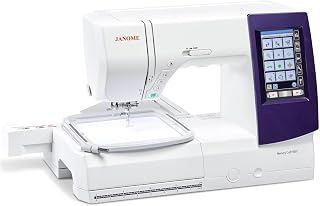
Janome Memory Craft 9850 Review: Capable Combo, Demanding Bobbin Care
PooLin EOC05 Review: Beginner Embroidery Backed by Hands-On Support
Brother SE2000 Review: A 5×7 Combo Machine With Room to Grow