Brother PE545 Review: A Friendly 4×4 Embroidery Starting Point
At a Glance
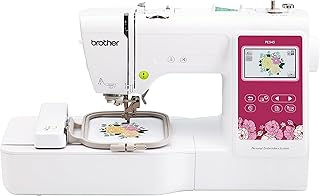
KEY FEATURES
- 4×4-inch maximum embroidery field
- 135 designs and 10 lettering fonts
- Wireless LAN, USB and Artspira compatibility
- 3.7-inch color touchscreen and 400-spm embroidery
PROS
- Many beginners describe quick, enjoyable first projects
- Wireless transfer and on-screen positioning simplify design handling
- Automatic threading and cutting reduce repetitive setup
CONS
- The 4×4 hoop quickly limits larger names and motifs
- Owners report learning friction with Wi-Fi, software and hooping
- Some supplied units skipped stitches, broke needles or arrived defective
Editorial Rating
Based on supplied customer reviews and verified product documentation
Price and availability subject to change
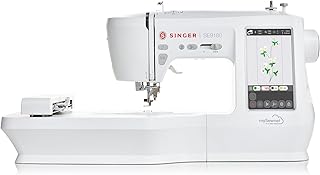
The Brother PE545 is easiest to understand as a compact gateway into machine embroidery. It does not sew regular seams, and its 4×4-inch field cannot grow into a larger design area. Within that boundary, 135 built-in designs, wireless transfer and a 3.7-inch touchscreen make small personalization projects unusually accessible.
Start with the hoop, not the design count
A 4×4 field accommodates many names, chest logos, children’s items and patches, but it constrains long text and larger compositions. Several supplied owners enjoyed the machine and still identified hoop size as the reason they would eventually move up. That is not a defect; it is the central buying decision.
| Planned work | PE545 fit | Constraint |
|---|---|---|
| Small names and monograms | Strong | Ten fonts and on-screen editing suit compact layouts. |
| Patches and small motifs | Strong | 4×4 is a common entry format. |
| Large jacket or tote designs | Poor | One design cannot exceed the 4×4 stitch field. |
| Regular garment construction | Not possible | The PE545 is embroidery-only. |
Three transfer paths, three places to learn
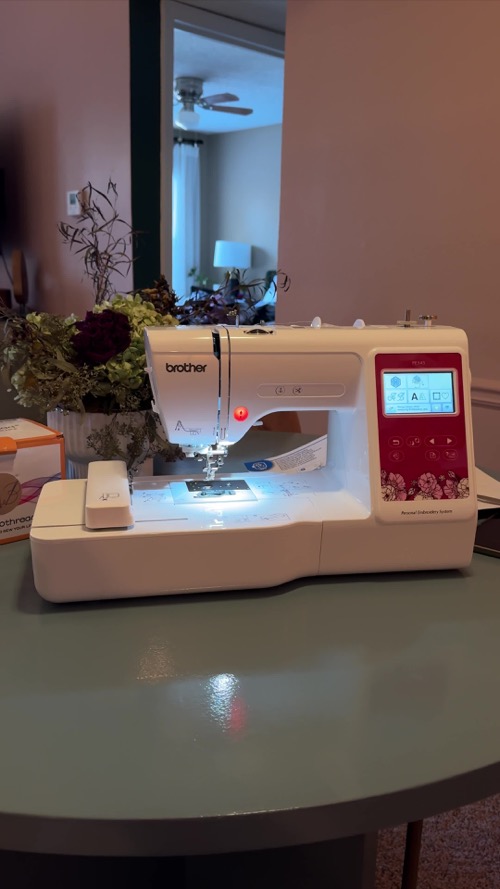
Built-in designs require no transfer. Wireless LAN can receive files through Brother’s Design Database Transfer, Artspira can send compatible mobile designs, and USB provides a physical alternative. Positive reviewers call wireless transfer convenient, while others spent hours on connection or software updates and needed online tutorials.
Good embroidery begins before the start button
Owners who report easy, attractive results often describe learning hooping, stabilizer and threading rather than pressing a design and walking away. Negative reports include gaps, broken needles and thread trouble. Those symptoms can have several causes, so the supplied texts cannot determine how many were operator, material or machine failures.
- Use a built-in design first so file conversion is not part of the test.
- Hoop a stable woven firmly with the stabilizer recommended for the design density.
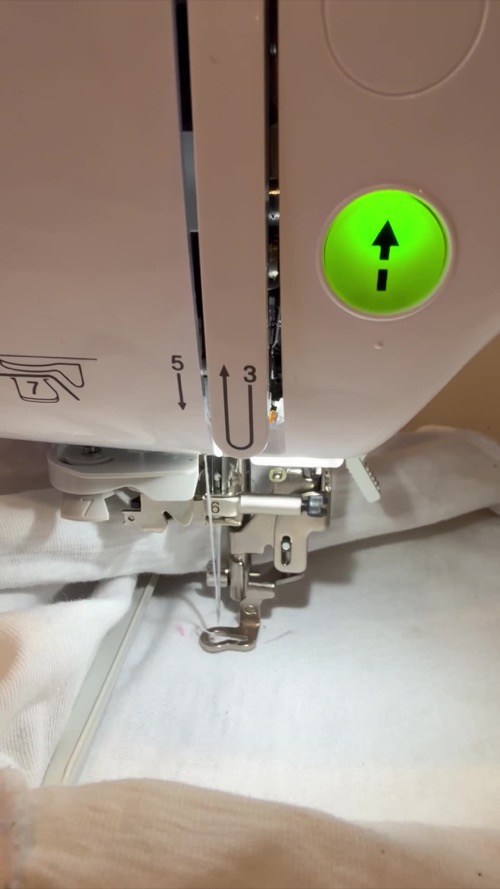
- Thread both paths exactly and verify the presser foot and needle are secure.
- Watch the first color section for loops, gaps, noise or shifting.
The owner record is positive, but not frictionless
Fun arrives quickly
Many beginners describe successful first designs, clear visuals and an absorbing new hobby.
Four inches feels small
Owners who move toward larger names or business work encounter the hoop ceiling early.
Stitch consistency
Isolated reports of gaps, jams and repeated needle breaks justify an immediate controlled sample.
The PE545 makes sense when the planned project list genuinely fits 4×4 and a regular sewing machine is already available. It is less sensible as a bargain route to commercial embroidery or as a purchase made before measuring the intended designs. Its best feature is not the number 135; it is a manageable workflow for learning what embroidery preparation requires.
The machine price is only the first embroidery cost
A useful first setup needs embroidery thread, the specified bobbin thread, needles and stabilizer matched to the fabric and design density. Owners who expected the included sample supplies to cover every project were more likely to encounter frustration or immediate extra purchases. Build the first supply basket around one measured project rather than collecting large thread sets before the machine passes its test design.
Custom artwork introduces a separate decision. The PE545 can receive a compatible embroidery file, but an ordinary image is not automatically stitch-ready. Good digitizing defines stitch direction, density, underlay and sequence. Artspira can help with supported designs and basic creation, while more complex work may require purchased files or separate digitizing services. That distinction keeps software cost from being mistaken for a machine fault.
Customer photos

Pros & Cons Analysis
Based on supplied customer reviews and verified product documentation
Pros
- Owners repeatedly call the PE545 approachable for a first embroidery hobby and praise the finished designs.
- Wireless LAN, USB import and Artspira offer several routes for moving designs to the machine.
- The 3.7-inch screen supports drag-and-drop placement, resizing and basic editing at the machine.
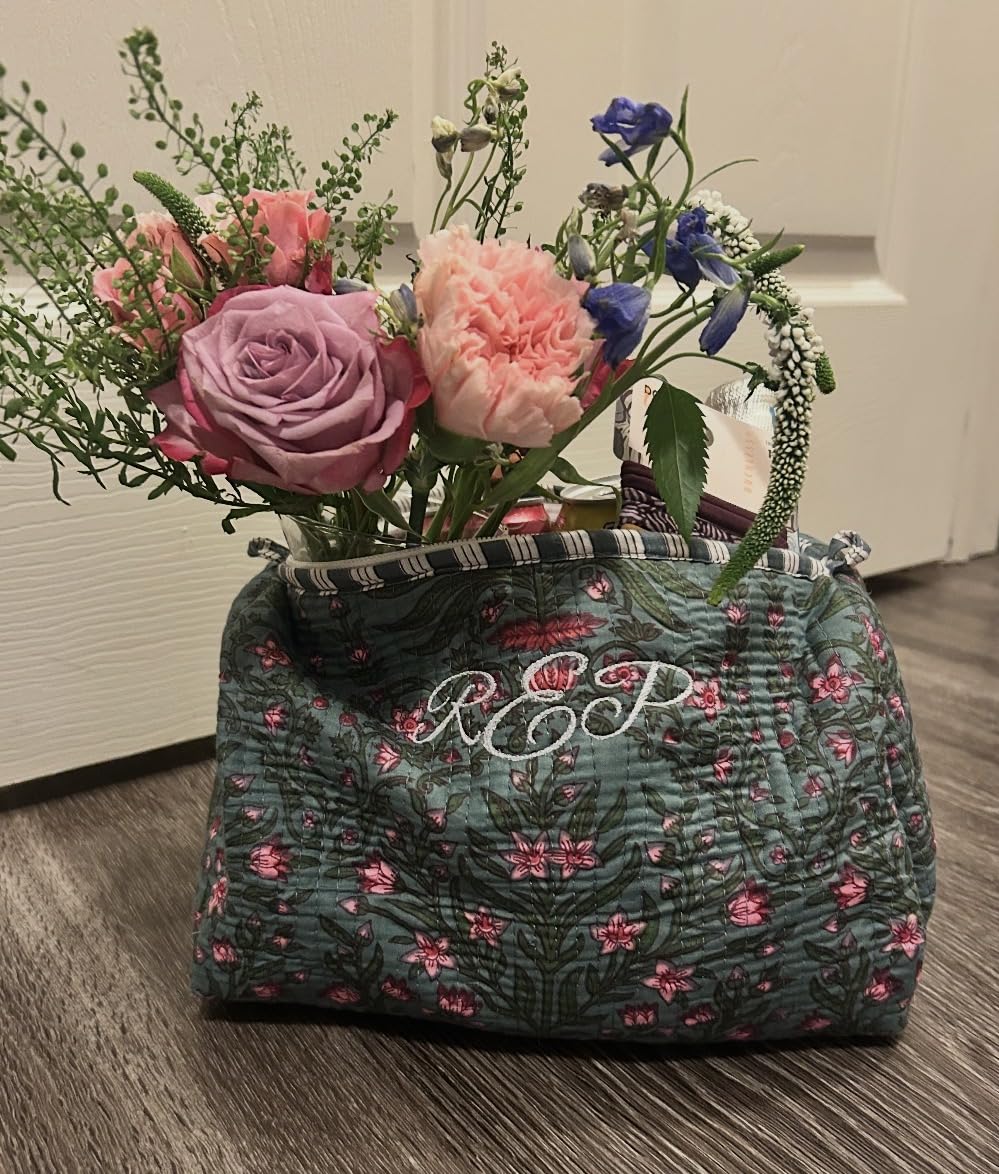
- Customer media shows a compact workstation and direct visibility around the hoop area.
Cons
- The 4×4-inch field is a hard geometric limit and several owners soon wanted a larger hoop class.
- Some buyers struggled to connect or transfer files and needed tutorials beyond the included material.
- The review pool contains needle breaks, gaps, jams, defective arrivals and support frustrations; these remain owner reports, not a measured failure rate.
- This is embroidery-only and cannot replace a conventional sewing machine.
Our Verdict
The decision in one sentence
Choose the PE545 to learn embroidery within a 4×4 field; skip it if your planned names, jacket backs or business work already exceed that frame.
What makes it accessible
The color screen, automatic thread handling and wireless design routes remove several old workflow barriers. Many supplied owners reached satisfying projects after tutorials and practice.
What does not scale
- The hoop area cannot be upgraded into a true 5×7 field.
- Multi-color work still requires manual thread changes.
- Software, stabilizer, thread and design quality remain part of every result.
Buying recommendation
It is a credible first embroidery-only machine for monograms, patches and small motifs. Verify connectivity and stitch a built-in test design immediately; buyers with known 5×7 ambitions should move up before purchasing supplies around this format.
Frequently Asked Questions
Can the Brother PE545 sew regular seams?
No. It is an embroidery-only machine and does not replace a conventional sewing machine.
What is the largest embroidery area?
The maximum field is 4 by 4 inches, or 100 by 100 mm. A physically larger accessory hoop cannot make one design exceed that limit.
Can designs be transferred wirelessly?
Yes. Brother supports wireless LAN with Design Database Transfer and Artspira; USB import is also available.
How many designs are built in?
Brother lists 135 embroidery designs and 10 lettering fonts.
What should a new owner test first?
Connect the machine, update it if required, hoop stable woven fabric with suitable stabilizer, and stitch a built-in design while checking threading, tension and sensor behavior.
Technical Specifications
| Machine class | Single-needle embroidery-only machine |
|---|---|
| Control type | 3.7-inch color touchscreen and start/stop controls |
| Primary functions | Programmed machine embroidery |
| Built-in stitches / applications | Embroidery only |
| Maximum sewing speed | 400 embroidery stitches per minute |
| Speed control | Embroidery speed setting |
| Bobbin / looper system | Quick-set drop-in bobbin |
| Workspace right of needle | 6.4 × 4.0 inches work area |
| Included presser feet | 1 embroidery foot |
| Maximum embroidery area | 4 × 4 inches / 100 × 100 mm |
| Built-in embroidery designs | 135 |
| Needle threader | Advanced |
| Warranty | Brother 1/2/25-year limited warranty |
Brother Skitch PP1 Review: App-First Embroidery With Tradeoffs
PooLin EOC03 2-in-1 Review: Ambitious Combo, Fragile Early Evidence
Brother SE2000 Review: A 5×7 Combo Machine With Room to Grow