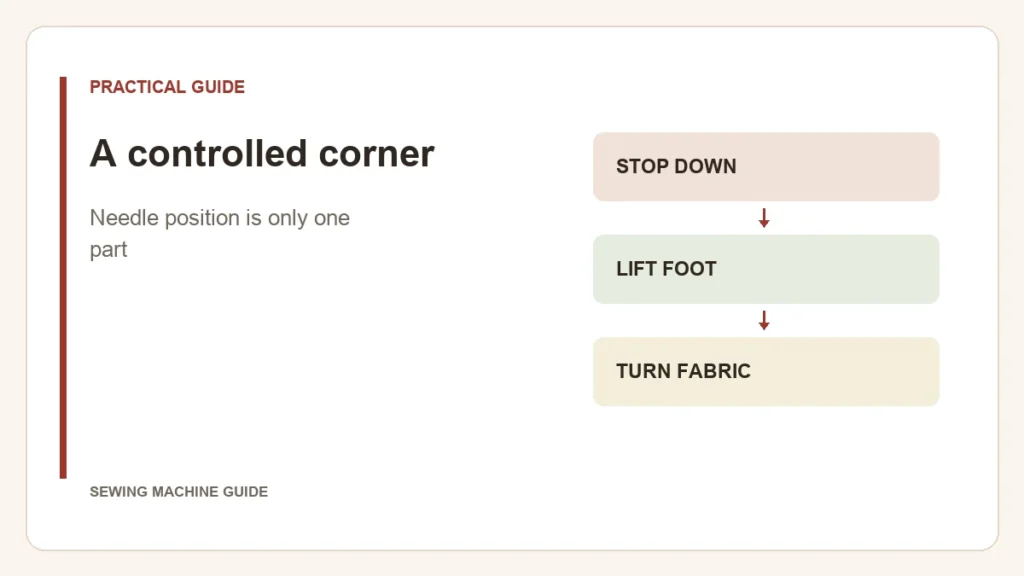
To turn a corner without losing the stitch location, the needle holds the fabric while the raised foot releases it. Needle down and foot up are two different actions. A needle-position button does not necessarily provide automatic foot lifting.
Sew an L-shaped practice seam
- Approach the marked corner slowly. Stop at the intersection with the needle in the fabric, using the positioning procedure in the machine’s manual.
- Release the fabric. Lift the foot with the hand lever, knee lifter or supported pivot function. Keep the work supported so its weight does not pull against the needle.
- Turn at the needle. Rotate the work until the new seam direction aligns with the guide. Do not drag the fabric sideways.
- Lower the foot and continue. Check the corner before repeating the sequence on the garment.
Read the result before changing a setting
| Result | What to check |
|---|---|
| An extra diagonal stitch at the corner | Whether the stop landed on the marked intersection and the fabric moved before restarting |
| Fabric resists turning | Whether the foot actually lifted and loose fabric is caught or hanging |
| Corner shifts away from the marked point | Whether the needle remained in the work while repositioning |
If the needle bends, strikes the foot or is being pulled sideways, stop. A bulky join that cannot turn comfortably needs a construction or clearance assessment, not a stronger tug.
Which convenience does your machine provide?
A needle-stop setting chooses the finishing position. A knee lifter raises the foot without taking a hand off the work. An automatic pivot function coordinates actions only under its documented conditions. Brother’s utility-stitch controls list positioning, reinforcement and cutting separately; another model may not offer the same combination.
A corner is normally a pause within a seam. Cutting the thread ends that seam, so do not substitute a trimming sequence for the pivot. For repeated turns on a large piece, the knee-lifter guide explains the hands-free part of the operation.