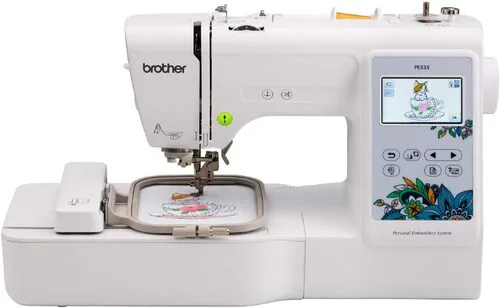
The PE535 suits a specific question: do your embroidery projects fit a 4 × 4-inch field? Decide that before weighing its design library or compact appearance.
Small lettering and motifs are the starting point
Brother’s PE535 specifications list a 4 × 4-inch maximum embroidery area, 80 built-in designs, nine fonts and a color touch display. These are documented capabilities, not a promise that every purchased file or garment will work without preparation.
Keep the finished size visible
Check the dimensions of the actual design, including lettering and borders. Shrinking a complex design just to fit may change the result; check the design supplier’s guidance.
Separate embroidery from construction
The PE535 is an embroidery machine. A project that also needs ordinary seams requires access to a sewing machine.
Pros & Cons Analysis
Benefits and limits of the documented features.
Advantages
- The screen preview lets you inspect a selected design before starting. That is relevant for layout decisions, although it cannot show how a particular fabric and stabilizer will behave.
- The built-in designs and fonts give a starting library without requiring an original artwork-to-stitches workflow. Custom digitizing remains a separate decision.
Limitations
- The field is the firm buying constraint. A plan centered on larger single-placement designs should start with another machine, rather than relying on an unverified hoop workaround.
Our Verdict
Buy for projects that already fit
The PE535 is worth comparing for small personalization when you already have sewing covered. For designs that need more space, assess the PE800’s larger field first. Allow time to learn hooping and design preparation; a compact field does not eliminate those tasks.